
⭐ Try it in your browser first — download only if you love it.
✅ Kid-safe • ✅ No ads • ✅ Free forever
Bumbo's Big Push
Finished 3/16/2026
Released 3/31/2026
Platforms: Windows, Android
Screenshots
About The Game
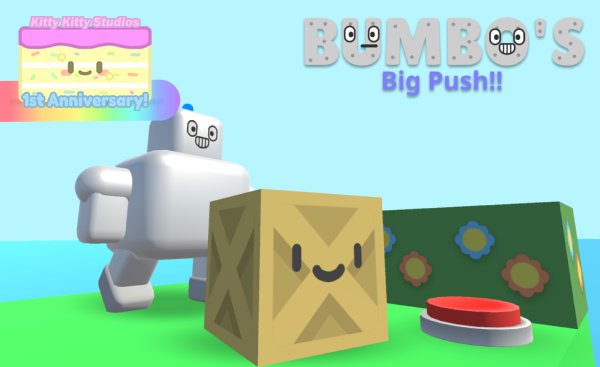
Bumbo's Big Push is a cute, relaxing sokoban adventure featuring a gigantic, adorable robot named Bumbo. Solve puzzles by pushing boxes and stomping on buttons to open doors. If you are a fan of sokoban games, like Patrick's Parabox or SokoFrog, Bumbo's Big Push hits the sweet spot.
⭐ Safe & Family-Friendly Download
- ✅ 100% Free Game
- ✅ Direct download — no extra software required
- ✅ Safe, cute, and family-friendly
- ✅ Made by Kitty Kitty Studios

📱 This game is installed outside the Google Play Store, so your device may show a brief system message during installation. You can continue normally if you choose to install 💙
Download for Android BumbosBigPush_0.1_Android.apk ✅ Developer-provided download
Important Note (Android)
Our games are independent apps not distributed through the Google Play Store, so Android may show a standard security warning during installation.
This does not automatically mean the app is unsafe — it simply means Android has not seen this app in the Play Store system.
About Bumbo
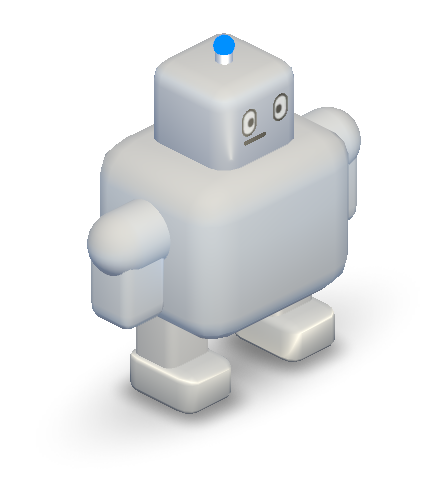
Hi! My name's Bumbo, and I am a huge, cute robot. I do loud stomps and big pushes to reach to the button that opens the door. I'm so strong I can push a crate into the water!
System Requirements
Windows:
OS: Windows 10 or later
Disk Space: 100MB Minimum
RAM: 4GB; 8GB recommended
DirectX: 11
GPU: Integrated graphics minimum
CPU: Intel Pentium minimum
Android
OS: Android 5.1 or later*
Phone: LG G4 or newer
Disk Space: 100MB Minimum
* Starting likely early 2027, we might be moving our Android games to the Play Store, raising the requirement to Android 7.1
Game Tags
Puzzle, Cartoon, Cute, Robotic, Sokoban
How to Install
Windows:
1. Click "Download now!"
2. When the download has finished, open it and open README.txt
3. Follow the README's instructions carefully.
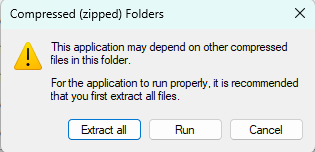
What happens if I double click the game exe when still compressed?
Android:
Tiny heads up: Devices running Android 7.0 Nougat or later and are Google-certified will block the install because it is from a small, niche indie studio. This is a brand new feature called "Advanced Flow". Before attempting to install this game, read about it here. Devices running Android 5.1 Lollipop up to 6.0 Marshmallow will install properly.
1. Tap "Download for Android"
2. When the download finishes, open the file to install it
3. If your device shows a message from Google Play Protect, this is normal for apps downloaded outside the Play Store
You can continue by tapping “Install anyway” or “Scan” if prompted
Read this topic for more information
4. Wait for installation to finish, then open the game from your app list 🎮
Changelog
Version 0.1 (Beta)
First-ever version of the game.
Game News
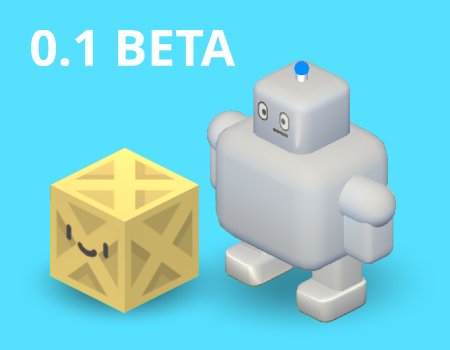
Version 0.1 Beta releases!
Time to control Bumbo and solve sokoban puzzles!